Skip to content
10 February 20211 min read

How to view your transactions summary?

Transaction Summary shows all the transactions of a particular event in the same report.

Eventackle is an  administratively efficient, all purpose  solution for event  goers & planners  where you don’t need separate RFPs, contract negotiations, or points of contact for each tool you decide to use. All our technology is connected, meaning you never have to leave us to browse events, send registrations, plan & manage your program, register attendees, handle bookings or create and sell tickets!

To view the transaction summary of your event, follow the steps:

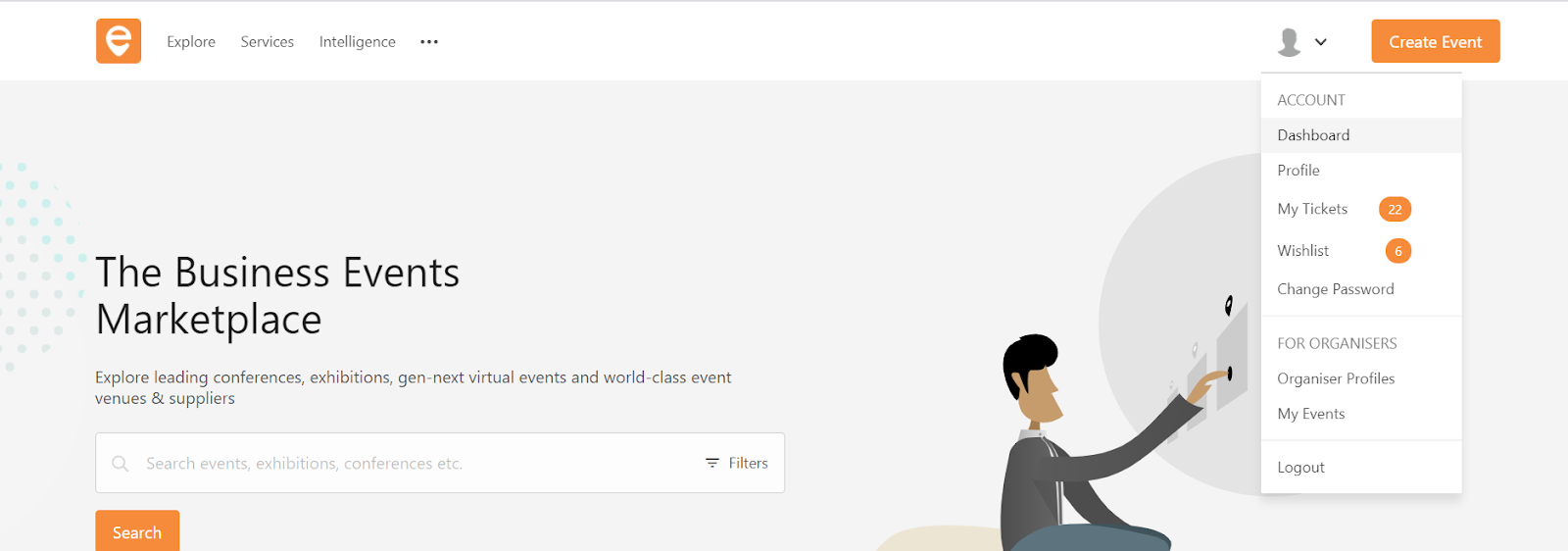
Step 1 - Go to Account and select “ Dashboard

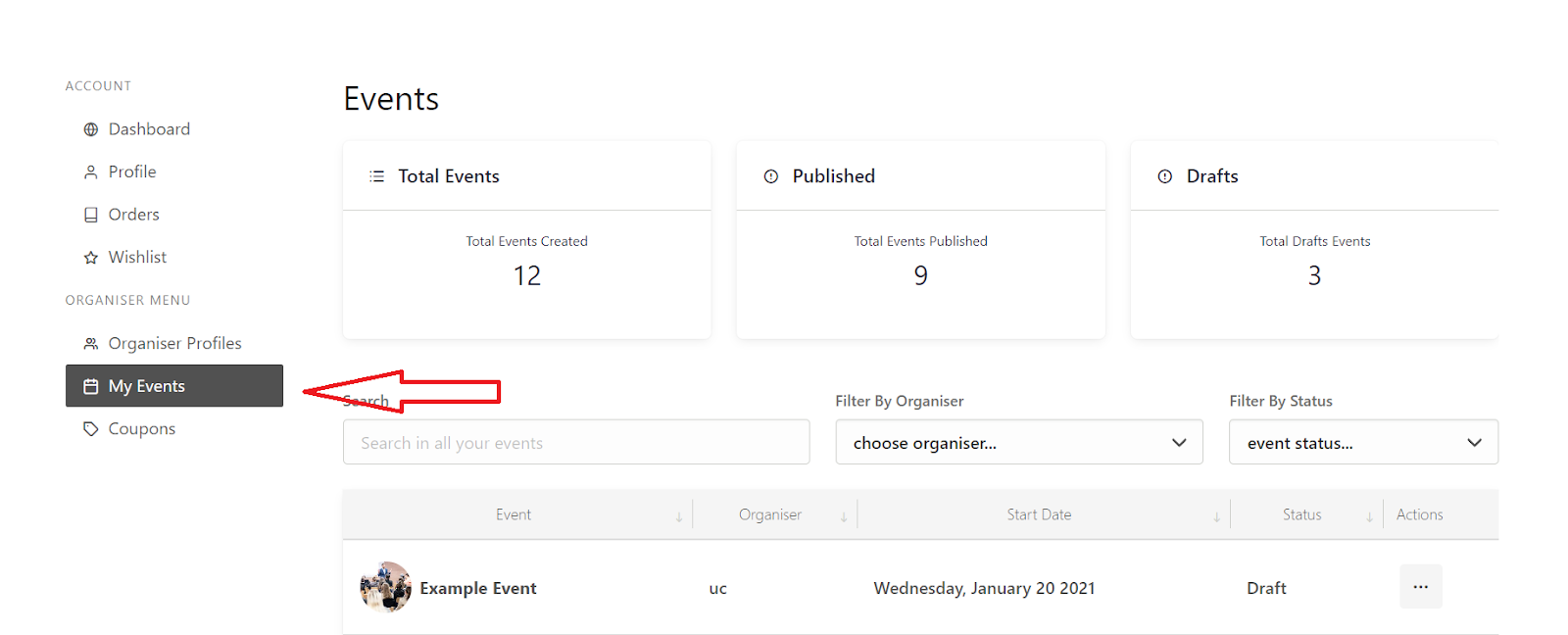
Step 2 -  Select “My Events

Step 3 - Select the event you wish to view the transactions for

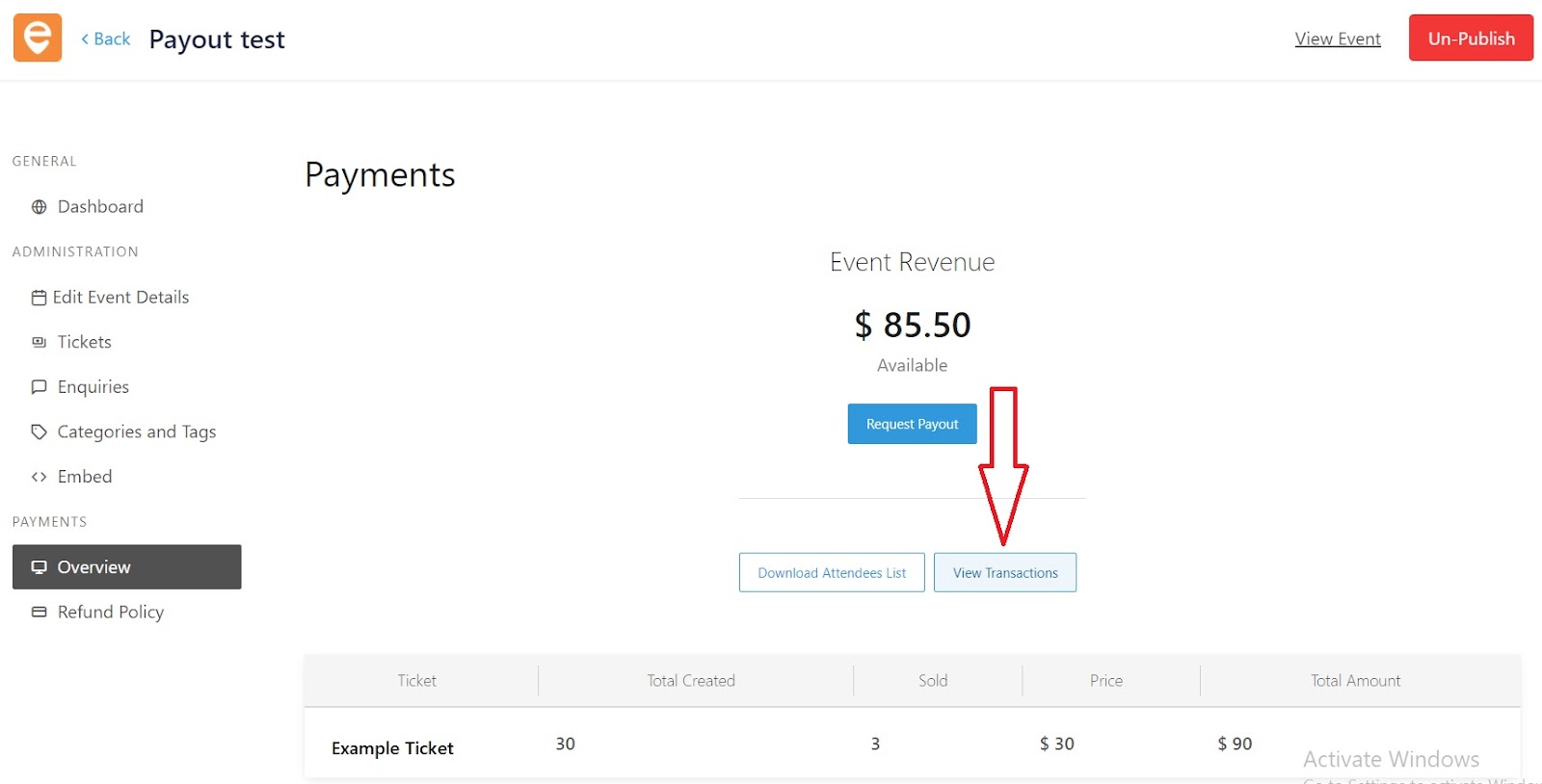
Step 4 - In the event dashboard, select “Overview” under payments
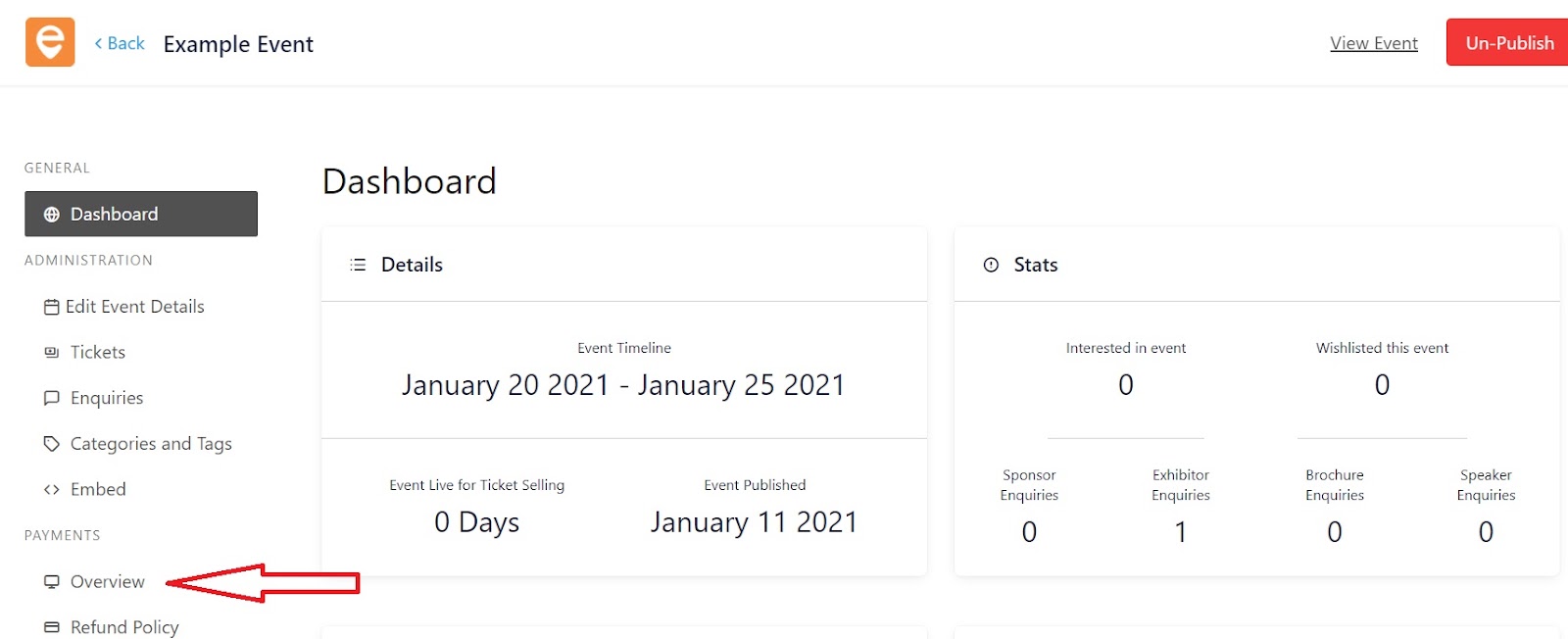
Step 5 - Click on “View Transactions

  1. Employees stay because they prefer Purpose over Pay

    Last year was difficult. We witnessed a lot of changes in our routine especially along the professional side of life. Most of us are working in a new-age virtual environment, spending countless hours staring at a laptop screen, connecting virtually more than ever before. Many of us are either put…

    Eventackle11 Mar3 mins
  2. In-person events to return in 2021 after PM gives nod to their prospect

    We are now beginning to see the light at the end of the tunnel, as the prospect of in-person experiences is becoming more viable . It was on 22 February, when Prime Minister Boris Johnson gave England some hope when he said events could return as early as 21 June without restrictions, provided the…

    Eventackle2 Mar2 mins
  3. How to edit your event details?

    Manage all aspects of your event through the Edit Event section.

    Eventackle15 Feb1 min