How to update the Cover Video Link of your event?

First published onEventackle ↗
Eventackle is an administratively efficient, all purpose solution for event goers & planners where you don’t need separate RFPs, contract negotiations, or points of contact for each tool you decide to use. All our technology is connected, meaning you never have to leave us to browse events, send registrations, plan & manage your program, register attendees, handle bookings or create and sell tickets!
To set up a cover video for your event, just enter a video link from video sharing sites such as YouTube etc. in the following sequence
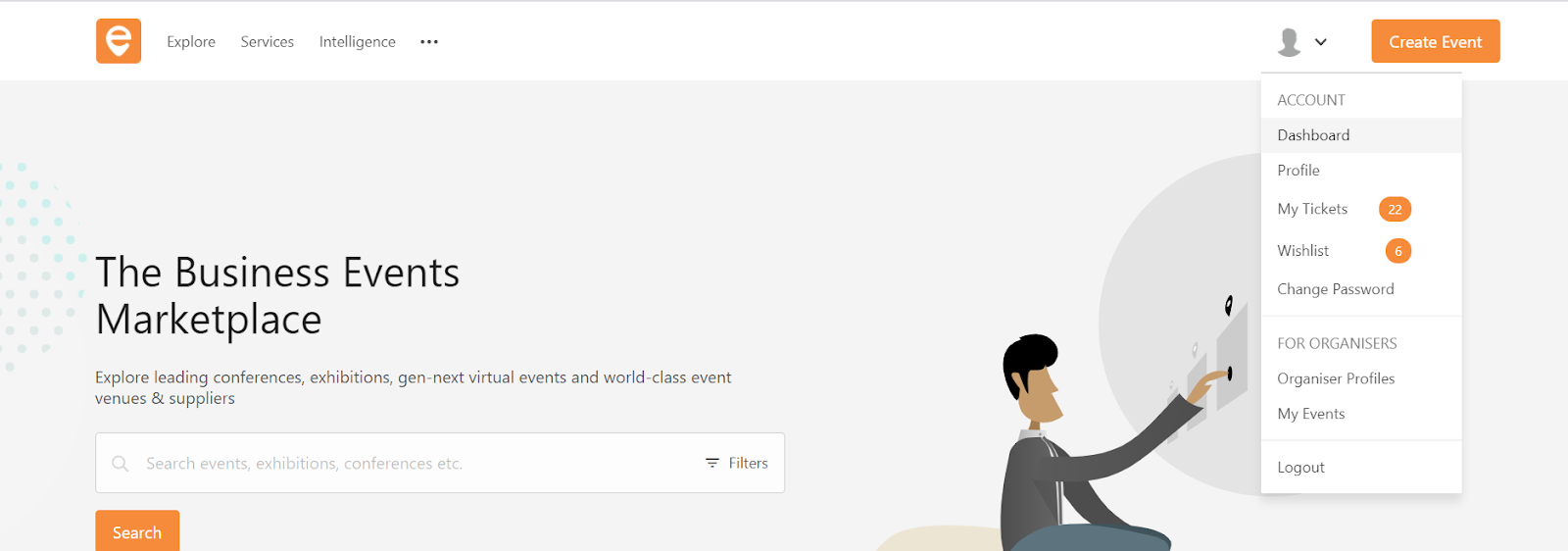
Step 1 - Go to Account and select “ Dashboard”
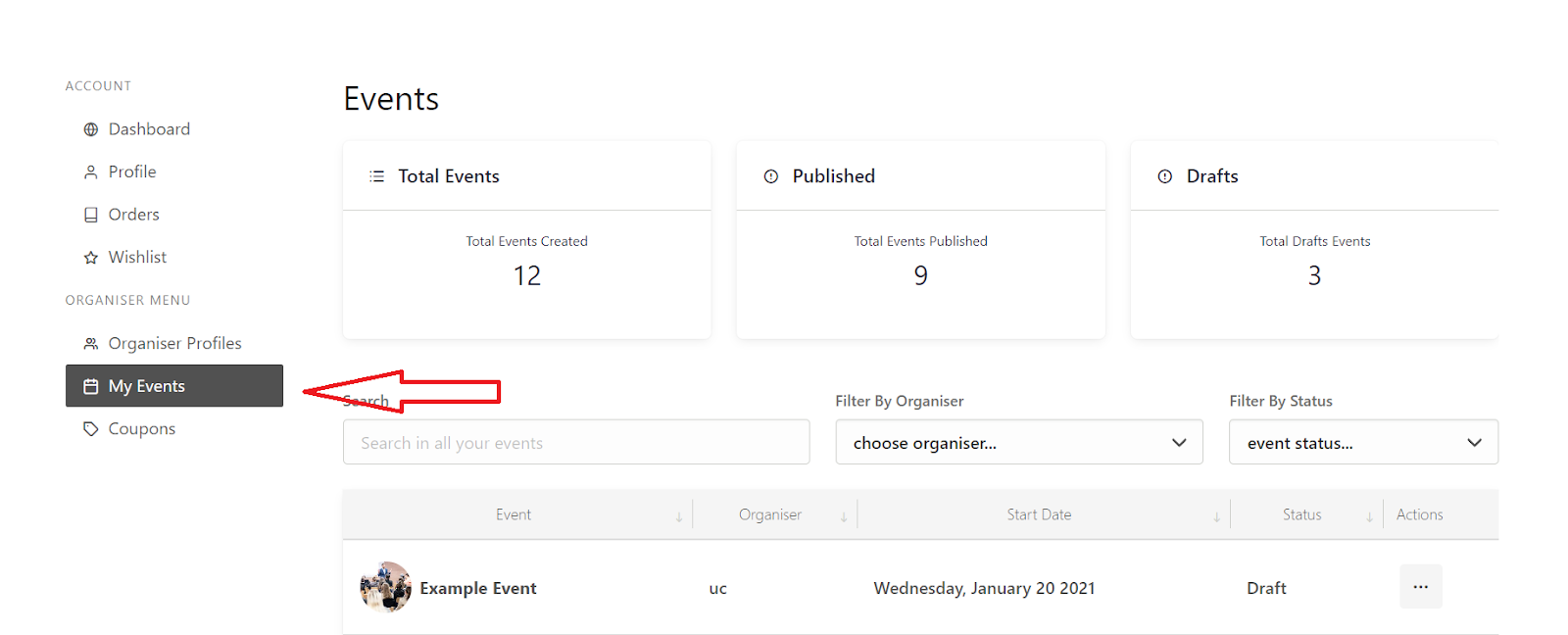
Step 2 - Select “My Events”
Step 3 - Select the event you wish to update the cover video for
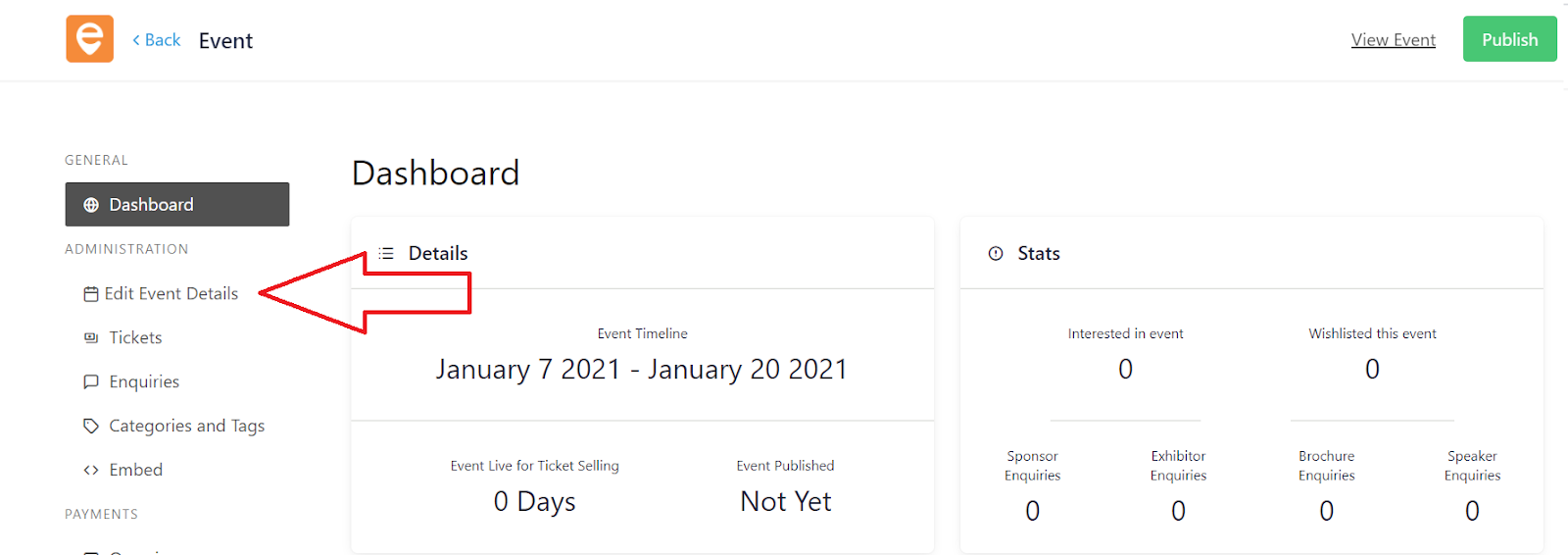
Step 4 - In the event dashboard, select Edit Event Details
Step 5 - Click on the edit icon, under “Cover Video Link” in Basic Information.
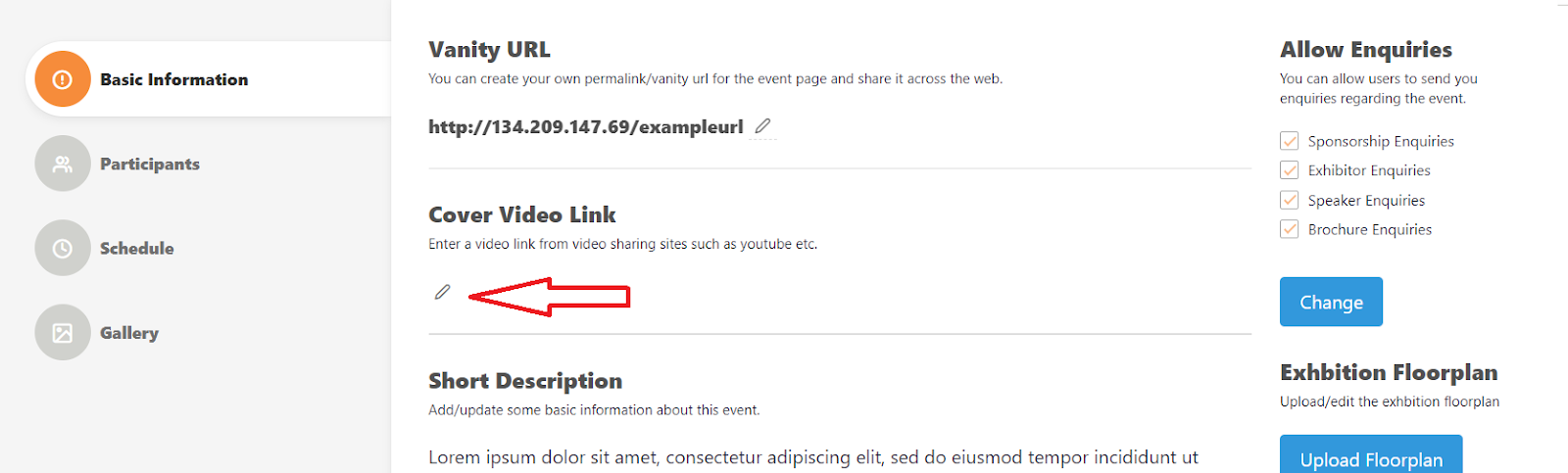
Step 6 - Enter your URL in the space provided, and hit “Update”